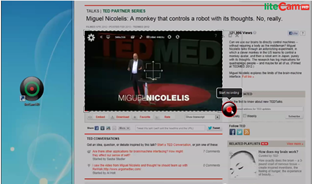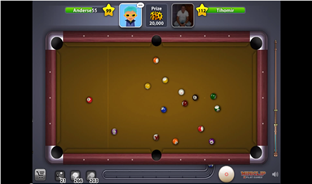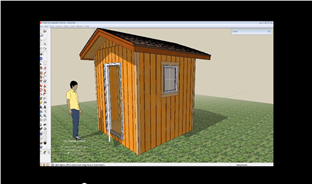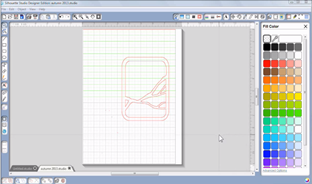
Have you watched professional software training tutorial videos and wondered how they made it? Create professional looking multimedia presentations, interactive tutorials and training videos, video lectures or even record a video playing on your computer screen. You don’t need multiple applications to do all of that, you only need CamVerce.
- Recording modes: Full screen, custom size, window frame, slide recording and video recording. You can switch back and forth between these recording modes with a click of mouse.
- Recording Wizard: If you're trying CamVerce for the first time, try Recording Wizards. The wizards will guide you through 3 easy steps to record whatever you want to record.
- Interactive feature: You want your viewer's attention? Why don't you make your viewers participate with the tutorials or presentation you made?
- Easy object and frame editing: Made mistake while recording? You can always cut, copy, paste of extend frames. There is no mistake in CamVerce. You can also move objects you added between frames and that won't even take one full mouse click. Not to mention that the narration is re-recordable.
- 11 file formats: You can convert your project into 11 different file formats and they are EMX, EXE, SWF, AVI, ASF, WMV, MOV, RM, HTML, DOC and PPT. What more formats do you need?
IBM compatible PC / Intel Pentium 500 MHz or faster / 256 MB of RAM or greater / 16 MB of Video memory or greater / Any sound card supporting Full Duplexing Required.
IBM compatible PC / Intel Pentium 2 GHz or faster / 1 GB of RAM or greater / 128 MB of Video memory or greater / Any sound card supporting Full Duplexing Recommended.
Microsoft Internet Explorer 6.0 / DirectX 9.0 / Microsoft Windows Media Player 9.0 recommended
Microsoft Office 2000 or later is required for DOC and PPT conversion
RealPlayer 7.0 or later is required to play RM file. (RealPlayer is not required for RM file conversion)
QuickTime Player 9.0 or later is required to play and convert MOV file.
You need to have at least 1GB of hard drive space and recording may be stopped if there is less than 500MB of space.
16 X or faster driver is required to play video from CD-ROM drive
2 X or faster driver is required to play video from DVD-ROM drive
- Depending on movie you are recording, graphic card, sound card, CPU or RAM may need to be upgraded.
Intel Pentium 2 GHz or faster (2GHz or Dual-core CPU recommended for Aero effect) / 1 GB of RAM or greater / 128MB of video memory or greater. Graphic cards supporting Direct X 9 and WDDM driver recommended. / Any sound card supporting Full Duplexing
Microsoft Internet Explorer 7.0 / Microsoft Windows Media Player 11 or later recommended
- Windows Vista uses 30-40% more resources than Windows 2000/XP which can cause a slower recording performance on a Windows Vista computer with same specifications.
- Some features on CamVerce may not work on Windows Vista 64 bit.
Q> What are the differences between liteCam and CamVerce?
Q> What is Marker? How I can use this to convert my project to document formats?
Q> Do I have to have Microsoft Office to convert my project to DOC and PPT formats?
Q> What are pros and cons for different recording modes?
Q> Why did CamVerce ask me to convert to editable format and what is editable format?
Q> Important information for Windows Vista users
Q> Anything I should know about ASF/WMV conversion?
Q> Are there any limitations for SWF file format?
Q> Can I record dual screens?
Q> What are the differences between liteCam and CamVerce?
A> Both liteCam and CamVerce do record computer screen, however they are very different in functionality and usability.
liteCam is optimized to record video screen which requires higher frame rates (frames per second) than recording desktop activities. liteCam only saves it to AVI file format which cannot be edited using liteCam. You need 3rd party video editing software to edit the video you recorded.
CamVerce was developed to create tutorial, presentation and training videos. CamVerce has 4 applications: Launcher, Recorder, Studio, Player and Converter and these will allow you to record, edit, convert and play the recorded video.
Even though CamVerce has video recording feature, liteCam offers higher quality video recording.
Q> What is Marker? How I can use this to convert my project to document formats?
A> One distinctive feature CamVerce has is its document conversion feature (HTML, PowerPoint and Word formats). You can use this feature to create a product manual.
You need to understand how to use Marker in order to convert them to document formats. This marker is very similar to Bookmarks or Favorites from web browsers. CamVerce automatically saves time stamps whenever you click mouse buttons, input from your keyboard and slide captures. This will help you to navigate through specific frames and it is very useful when you are converting the video to document formats.
You can open the Marker by selecting Marker from the Insert menu. You will see all the mouse clicks and keyboard inputs are saved in the Marker window.
Now you need to add frames to Marker. Here’s how you can add frames to Marker:
1. Select frame from the slide window
2. Click the Insert menu and select “Add a document to Marker”. You can also right click on the selected frame and select “Add a document to Marker”.
3. If you have all the frames added to the Marker, select Save Project from the File menu.
You can open the Converter and add the project to Converter. Select “Documents” from the Document File Options window. If you don’t see the Document File Options window, double click on file name.
You can select other options such as Mouse event or Keyboard Event as well, but this will generate unnecessary documents.
Q> Do I have to have Microsoft Office to convert my project to DOC and PPT formats?
A> In order to convert projects into Word and PowerPoint formats, you need to have Microsoft Office installed on your computer. Microsoft Office 2000, XP, 2003 and 2007 are supported in CamVerce. Word and PowerPoint files will be converted to DOC and PPT formats and will not be converted to DOCX or PPTX.
Q> What are pros and cons for different recording modes?
A> Screen Recording: This records computer screen and this file can be edited using CamVerce Studio.
Video Recording: If you don’t need to record entire computer screen but want to record small video screen, this Video Recording mode will record and save as an AVI format. Mouse cursor won’t be recorded as this is for video screen recording. This AVI file cannot be edited from CamVerce Studio.
Slide Recording: If you are recording screen with minimum activities, slide recording offers you great way to save the file size. This mode will take a screen shot of the first screen and record your voice and mouse cursor. It adds more screenshots to your project as you click the Capture Slide button. Since you’re taking screenshots instead of recording, the file size will be noticeably smaller.
Q> Why did CamVerce ask me to convert to editable format and what is editable format?
A> You will be prompted to convert the recorded file into editable format after the recording. The recorded file (EMM format) is optimized for speedy recording and it needs to be converted to editable file (same file format) which minimizes audio sync issues.
If you are not planning to edit a lot, you don’t need to convert if you prefer. Please note that there might be audio sync issue if you edit the file without converting it to editable format.
Q> Important information for Windows Vista users
A> Please make sure that your system meets the requirements:
Windows Vista 32 bit
2 GHz processor or faster
1 GB RAM or more
128 MB video memory or more with DirectX 9 and WDDM driver support
Sound cards with Full Duplexing
Microsoft Internet Explorer 7.0 or later / Microsoft DirectX 9.0 or later / Microsoft Windows Media Player 11 (recommended) or later.
Microsoft Office 2000 or later for DOC, PPT conversion
Real Player 7.0 or later to play RM file (Real Player is not required for conversion)
QuickTime Player 9.0 or later for MOV file conversion
Depending on videos you want to record, high-end system may be required.
At least 1GB of space in local hard drive is required. Recording may be stopped if you have less than 500 MB of space.
- You need to log in as an administrator for proper recording.
- You need to turn the protected mode off when you are recording Internet Explorer 7 (You may have to do this in Windows 2000/XP as well). If you have this enabled, mouse cursor movement may not be recorded properly. This is one of Microsoft’s policies to prevent hacking program controls mouse.
- If you don’t turn the protected mode off or not logged on as an administrator, your mouse pointer may stay one shape when you record.
- If you have more than 2 speakers, you need to change the speaker settings to Stereo to record.
- You are not able to change the audio settings.
Q> Anything I should know about ASF/WMV conversion?
A> There are two different types of CODECs for ASF/WMV conversion. One for less colors /high resolution with not much screen activities and for more color and less screen resolution with lot of screen activities. Those are very contradictory and there is no CODEC works for both cases.
If you are converting a screen recorded project, we recommend you to use Windows Media video 9 screen or Windows Media Screen V7). These Codecs are optimized for screen recording since this Codec converts with vivid text, however, it is not suitable for videos with many colors. It is also not recommended for Vista users who use the Aero effect. If you are using Vista without Aero effect, these codecs will work for you.
If you have recorded video, PowerPoint presentation or image applications (Adobe Photoshop for example), MPEG4 series is recommended. You may see more or less video Codecs on your computer depending on your graphic card or applications you’ve installed. Unless you have a Codec in your mind, “Windows Media MPEG-4 Video, Windows Media Video 9” is the best choice. If you are a Vista user using the Aero effect, one of these two codecs are the best choices. Please note that these codecs are made for videos, so small text and images may be smudged.
Windows Media Audio 9 and Windows Media Audio 10 are recommended. It is recommended to use the same audio settings you used while recording. If you have used 16 bit and 22 Khz while recording, use the same setting for converting. If you have recorded just narration, 16 Kbps, 22 KHz, mono will be a good settings, and if you have to increase the audio quality, just change the bandwidth to 48 kbps. If audio quality is not really important in your project, you don’t need to go with Stereo. This will make your file size much bigger than Mono sound will.
Here is the recommended Bandwidth settings (for WMV and ASF):
Screen recording: Windows Media Screen V7 recommended
640 x 480 or less (resolution): 100 – 200 Kbps
800 x 600 or less (resolution): 200 – 300 Kbps
1024 x 768 or less (resolution): 300– 500 Kbps
Video or picture recording: Windows Media Video 9 recommended
320 x 240 or less (resolution): 200 – 300 Kbps
640 x480 or less (resolution): 300 – 1000 Kbps
Those are just recommendations and it may still lag a little if you have recorded video. It is recommended to test after converting to WMV and ASF formats. Currently, WMV and ASF formats are the most popular streaming file formats on the Internet.
Q> Are there any limitations for SWF file format?
A> SWF file format has the following limitations:
- Maximum number of frames: 16000
- Maximum number of layers: 16000
- Maximum number of symbols: 16000
- Maximum number of movie clips: 16000
- Mouse right click can’t be used
-A Combination of two keys can’t be used for keyboard shortcut. Alt key can’t be used. Shortcut keys already taken by Internet Explorer can’t be used.
- Please refer to this page for more detail: http://www.adobe.com/cfusion/knowledgebase/index.cfm?id=tn_14437
A> Unfortunately, you can only record one screen. Recording two screen feature may be available through update if neccessary.
Oct 30 2008 . CamVerce 1.2 - innoheim is pleased to announce the immediate availability of its new screen recording / editing application, CamVerce.
Sep 1 2008. CamVerce Beta 2 available
July 1 2008. CamVerce Beta 1 available
Please note that this is just a quick tutorial to get you started. Please click here to see or download the full CamVerce guide.
- Launcher
- Recorder
- Studio
- Converter
At the end of installation, you will be prompted to configure audio devices. If you selected audio device by mistake, you can always change it at any time. Please visit support page to see the online guide or download a full guide for audio device configuration.
If you have never used CamVerce, run CamVerce Launcher. To start CamVerce Launcher, click the Start button > All Programs > innoheim > CamVerce >Launcher.
As you can see from the picture below, Launcher has four tabs: Record, Edit, Play and Convert. Each is linked to CamVerce Recorder, CamVerce Studio, CamVerce Player and CamVerce Converter, respectively.

Recorder
The Recorder application is the recording tool of CamVerce applications. You can capture footage of your computer desktop, any videos playing on your computer, or take just screenshots of your desktop while you’re recording your mouse cursor and your voice. If you have recorded your desktop or taken screenshots (Slide Recording), you will be able to edit or convert the project using CamVerce Studio and CamVerce Converter.
You can use the Launcher application to start Recorder or by clicking the Start button > All Programs > innoheim > CamVerce >Recorder. Please note that if you don’t start Recorder from the Launcher, you won’t be able to use the recording wizard. This is the Recorder main window.

You can also draw on screen while recording using Draw on Screen tool. When you’re done drawing, click the green button with the arrow and your drawing will disappear. If you have drawn something by mistake, you can click the undo button.
![]()
You can use CamVerce Studio to easily edit videos recorded with CamVerce Recorder. CamVerce offers simple ways to edit both frames and objects. You can edit screen recording videos and slide recording videos, but you can’t edit AVI files.

There are three main components of Studio: Toolbars at the top, slide window at the bottom and the main editing windows in the middle.
Toolbars are used to add and edit objects. You can also change the properties of the objects.
You can edit frames and change the length of objects from the slide window. You can have an overview of the video including the total length of the video.
The main editing window and slide windows are linked together. The selected frame from the slide window will display in the main editing window.
Basic Objects |
|
|
Draw a line. You can change the shape to an arrow |
|
Draw an arrow |
|
Draw a rectangle. You can insert text inside of the rectangle and change the test font style and color. You can also change the color of the rectangle, line width of the border or add shadow to the rectangle. |
|
Draw an oval. You can insert text inside of the rectangle and change the test font style and color. You can also change the color of the oval, line width of the border or add a shadow to the oval. |
Filled Objects |
|
|
Draw a filled rectangle. You can insert text inside of the rectangle and change the test font style and color. You can also change the color of the rectangle, line width of the border or add shadow to the rectangle. |
|
Draw a filled oval. You can insert text inside of the rectangle and change the test font style and color. You can also change the color of the oval, line width of the border or add a shadow to the oval. |
|
Rounded Rectangle: Draw a rounded rectangle. You can insert text inside of the rounded rectangle and change the text font style and color. You can also change the color of the rounded rectangle, line width of the border or add shadow to the rounded rectangle. |
|
Rectangular Callout: Draw a rectangular callout. You can insert text inside of the rectangular callout and change the text font style and color. You can also change the color of the rectangular callout, line width of the border and add a shadow to the rectangular callout. |
|
Oval Callout: Draw an oval callout. You can insert text inside of the oval callout and change the text font style and color. You can also change the color of the oval callout, line width of the border or add a shadow to the oval callout. |
|
Rounded Rectangular Callout: Draw a rounded rectangular callout. You can insert text inside of the rounded rectangular callout and change the text font style and color. You can also change the color of the rounded rectangular callout, line width of the border or add a shadow to the rounded rectangular callout. |
Other Objects |
|
|
Add a text box. You can’t change the color of the text box, but you can change the text font style and color. |
|
Graphic files: You can insert bitmap image files (BMP, GIF, JPG, PNG and TIF) and vector image files (WMF and EMF). You can adjust the transparency and color of the image files and add text on top of the image files. |
|
Interactive Objects: This object allows users to make bi-directional (Success/Fail) video from user input (keyboard or mouse). Please note that this interactive feature is only playable on CamVerce video formats only. |
|
Audio: Audio is used to play audio file on a certain frame. PCM type WAV and MP3 files formats can be used. |
|
Logo: You can insert your company logo if you want to. When the user clicks on the logo, they will be directed to your homepage. |
Converter
You can select files formats you want to convert the project to.
There are three main formats in Converter.
1. Interactive Enabled Formats: There are three formats that support the interactive feature. EXE file embeds CamVerce Player so your viewer won’t need to install CamVerce Player to watch the file.
2. Video File Formats: There are 5 available video file formats; AVI, ASF, WMV, MOV and RM. Please note that interactive feature will not run on these formats if you have one on your file.
3. Document File Formats: There are 3 available formats; HTML, DOC and PPT. Please note that you need to have Microsoft Word or PowerPoint installed on your computer to convert your file to DOC or PPT file.
You have not installed MP3 encoder and MP3 format will not be used for SWF conversion.
If you don't install MP3 encoder, the file will be automatically saved as ADPCM format which can cause low audio quality. You need to install MP3 encoder separately due to MP3 licensing. CamVerce recommends LAME MPEG Audio Layer III (MP3) encoder.
LAME is world’s most used open-source MP3 encoding engine and it’s freeware.
If you haven’t installed LAME, please download it from the following link:
Download 1 (Free-Codecs.com) - LAME MP3 Encoder 3.98.2
Download 2 (RareWares) - LAME 3.98.2 release
Download and open the zip file to extract the lame_enc.dll file. Copy this file into the folder where CamVerce is installed. (C:\Program Files\innoheim\camverce)
As of October 2008, LAME 3.98.2 is the most current version. If you would like to have more information about LAME, please visit The LAME Project page.